
Lyric videos that move on the beat
Paste your lyrics and Shot times every line to the song, styles it in your release colors and renders widescreen and vertical versions — the same day the song drops.
What you get with the Lyric Videos
Timed to the song
Lines appear on the beat using Shot’s song map.
Styled to your release
Fonts, colors and backgrounds match your cover art and Brand Kit.
Every shape
Widescreen for YouTube, vertical for reels and stories, square for feeds.
Part of the release pack
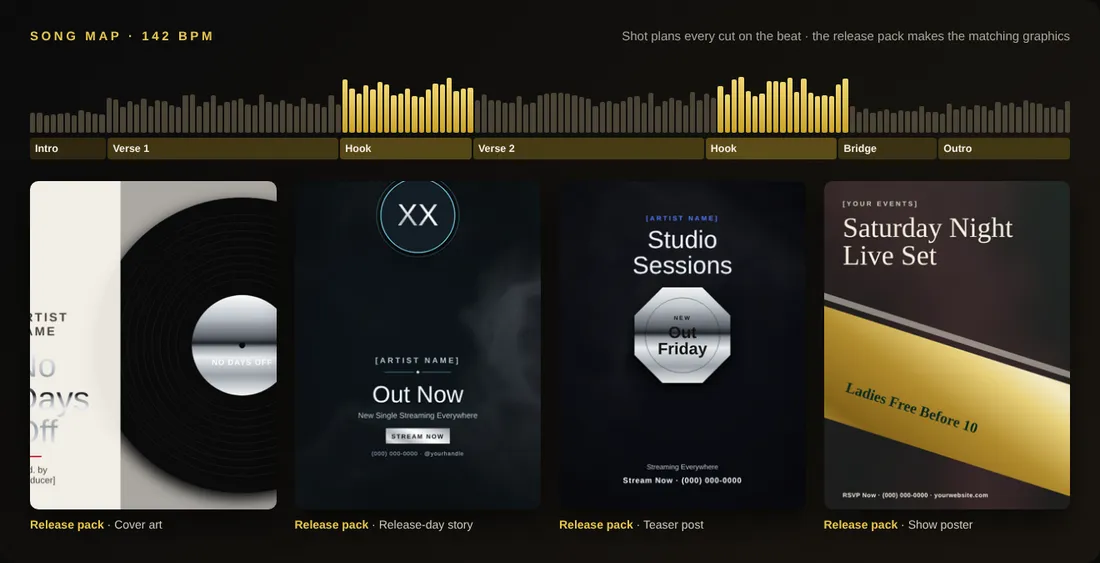
Render it alongside the music video, teaser and cover in one go.
Planned on the beat, before you spend a token
Shot maps your song — beat, verses, hooks and drops — then writes the shot list and renders cheap previews. You see the cost of the final before you click render, and you only redo the scenes you want.
Why it matters
Fans want the words. Lyric video mode turns the same song into a styled, on-beat lyric video for every platform — no editor required.
And because it lives inside DonForge, it shares your Brand Kit, your library and your sign-in with everything else — no exporting between apps, no wrong version going out, everything autosaved so you can pick up right where you left off on any device.
How to get started
- Open your Shot music video project.
- Paste the lyrics and pick a lyric style.
- Preview, adjust any line timing.
- Render widescreen and vertical versions.
Who uses the Lyric Videos
- Artists post a lyric video the same day as the single.
- Labels give every track on a project its own lyric video.
- Churches and choirs share worship lyrics with their community.
- Podcasters turn quotes into on-beat audiograms.
Templates are ready for plumbers, HVAC companies, real estate agents, law firms, salons and rap artists — plus 14 more industries.
Questions about the Lyric Videos
How do I make a lyric video?
Paste your lyrics into a Shot project, pick a style, and render — the words are timed to the beat automatically.
Can I edit the timing?
Yes. Nudge any line earlier or later before you render.